Dateable
How to save a match's profile and messages before you meet
Save their profile, photos, username and the whole chat before you meet. An account can vanish in seconds. Here is what to capture and where to keep it.
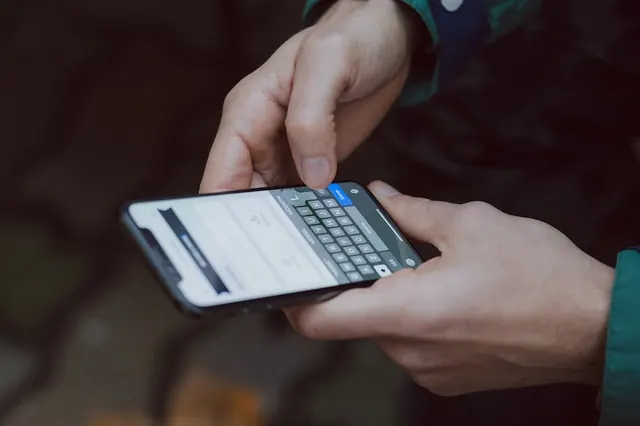
Screenshot everything about your match before you meet them in person, because an account can disappear without warning in the time between arranging the date and showing up. One screenshot takes five seconds. It saves you weeks of regret if something goes wrong and you need to report them to Dateable, police, or both.
Why this matters
A scammer deletes their profile the moment they get what they wanted. Someone who hurt you may have vanished by the time you find a way to report it. An account someone used to catfish you disappears as fast as it was created. In each case, you are left with nothing to prove who they were or what they told you.
The Dateable app keeps a copy of messages you send and receive, but your match can delete theirs at any time. Their photos can vanish. Their profile text goes with them. A police officer investigating a crime can ask Dateable for the information on our servers, but the faster you give them a clear record in your own words, the faster they can act. 1
What to capture
Take a screenshot of every photo they uploaded to Dateable. You need all twelve public photos if they posted them, and the private ones they shared with you. Take a screenshot of their entire profile, including the text they wrote about themselves, what they are looking for, where they say they are based and any other details they shared. Take a screenshot of their username.
Then take a screenshot of every single message in your chat. Yes, all of it. If your match sent twenty messages over two weeks, that is twenty screenshots. Swipe up to the start of the conversation and screenshot from the top. Keep going until you reach the last message they sent.
The order matters: start with their profile and photos, then their username, then the chat history in order. If you later need to hand these to someone, having them in the right order shows the story.
- All public photos (full-screen, or cropped to show the image and the date uploaded)
- All private photos they sent you in messages
- Their full profile including bio, looking for, location and any other text
- Their username on Dateable
- The entire message thread from first to last
Where to keep them
Do not keep screenshots only on your phone. If your phone is stolen, broken, or you lose it, the screenshots go with it. Store them somewhere that survives a lost device. Options include:
- A cloud service you already use: Google Drive, iCloud, Dropbox, or OneDrive. Create a folder called 'Dating Safety' and save all screenshots there.
- Email them to yourself in a folder called 'Dating Profiles' or something similar. Emails stay in your account even if you lose the device.
- A document app like Google Docs: paste the screenshots into one document for each person, with the date and their Dateable username in the title.
- If you keep them on your phone too, that is fine, but the cloud copy is your real backup.
Use a clear naming system so you can find them quickly if you need them. Include their Dateable username and the date you met. For example: 'profile-alex-2026-09-28' or 'messages-alex-2026-09-28'.
Who to send them to
Before you meet, tell someone you trust that you are going on a date. Share your location with them. Ask them to check in with you when you get home. You do not need to send them the screenshots unless something goes wrong.
If your date behaves differently in person than they did in messages, if they try to move you to a private place, if they pressure you, or if they hurt you, you do have options. Send your screenshots to that trusted person first, so you have a witness. Then decide whether to report to Dateable or police, or both. 2
I want to report this person. Here are screenshots of their profile, photos and our entire message thread. I want to report them to the police because they hurt me on our date.
When you need them
Most of the time you will take these screenshots and never look at them again. That is the best outcome. But if something goes wrong, having them ready changes everything.
If someone on the date is not who they said they were, or if they became aggressive or disrespectful, or if they hurt you, you can report them to Dateable immediately. The more detail you have, the faster Dateable can act. If it is a serious crime, you can also report to police, and Dateable's safety guide has the information you need. There is no time limit to report a sexual offence or assault to police in Victoria. 1
If your date pressured you for money or favours, or if they tried to move you to another app or site, screenshots show the pattern. If someone asks to borrow cash or says they need to move your conversation to WhatsApp before you have met in person, that is a warning sign. Keeping records protects you and anyone else they might target.
Trust your instincts
Before you even meet, your screenshots will tell you whether something feels off. A profile that does not match how they sound in messages is a red flag. Someone who avoids video call is a red flag. Disrespectful comments are a red flag. 2 If something does not feel right, it probably is not. Your instinct matters more than anyone's profile or their words. Follow the first-date safety guide and trust your sense of whether this person is worth the risk.
Sources
- Victoria Police (2025). Dating apps, online platforms, and sexual offences.
- eSafety Commissioner (2026). Online dating | How to stay safe.